
ESD Payment System Integration (MyLaundryLink Platform)
Wash-Dry-Fold POS integrates with ESD’s MyLaundryLink cloud-based platform.
This integration enables automatic payment management between your ESD system and Wash-Dry-Fold POS for a unified experience, allowing your customers to pay with their ESD card or check their card balance directly at your WDF POS system for any goods or services you sell over the counter. An optional setting in your Store Settings page also enables refunds onto ESD cards.
Note: Only ESD systems that connect through MyLaundryLink are supported. Standalone or offline systems are not compatible at this time. You can find out more about MyLaundryLink here: https://esdcard.com/what-is-mylaundrylink-and-how-does-it-work/
Supported ESD Systems
This integration works with wireless CyberLaundry reader systems that run on the MyLaundryLink cloud platform.
Compatible Reader Models
- SmartLink
- AlphaLink
- CrossLink
- Edge
- Trident
- Epic (upcoming wireless model, not the Epic card system)
Compatible Payment Platforms
- CyberLaundry
- Synergy
- Edge
All of these operate using ESD’s wireless, cloud-based MyLaundryLink system.
Unsupported ESD Systems
The integration does not support the following:
- ESD SmartCard systems
- CyberWash magnetic stripe systems
- Epic card system platforms (different from the upcoming wireless Epic reader)
If your laundromat uses any of the systems above, the integration will not function.
Getting a New API Key and Auth Code from MyLaundryLink
To generate your credentials:
- Log into your MyLaundryLink account using your ESD credentials.
- Navigate to the Manage API Access page.
- Click “Generate” to create new API Key and Auth Code values.

Connecting ESD to Wash-Dry-Fold POS
- Log into your Wash-Dry-Fold POS account as an Admin.
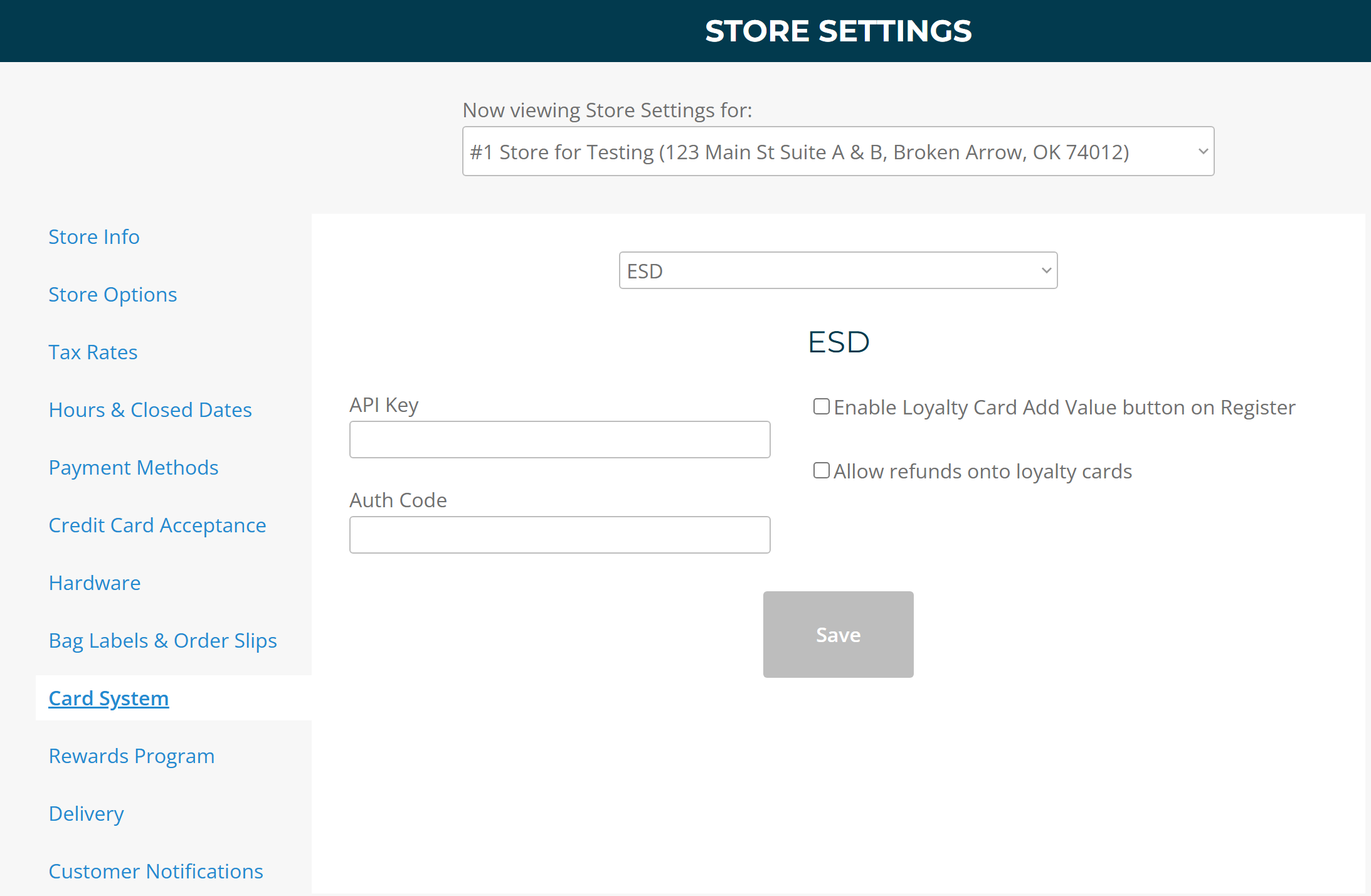
- Navigate to: Store Settings → Card System → Select “ESD"
- Enter your API Key and Auth Code which you generated from the “Manage API Access” page of MyLaundryLink (shown above)
- Click Save.
⚠️IMPORTANT NOTE ⚠️
Your API Key and Auth Code provided by ESD expire automatically every 12 months. When these credentials expire, your ESD integration will temporarily disconnect from WDF POS until new credentials are generated.