Pay at Pickup
Step 1: Selecting the Order
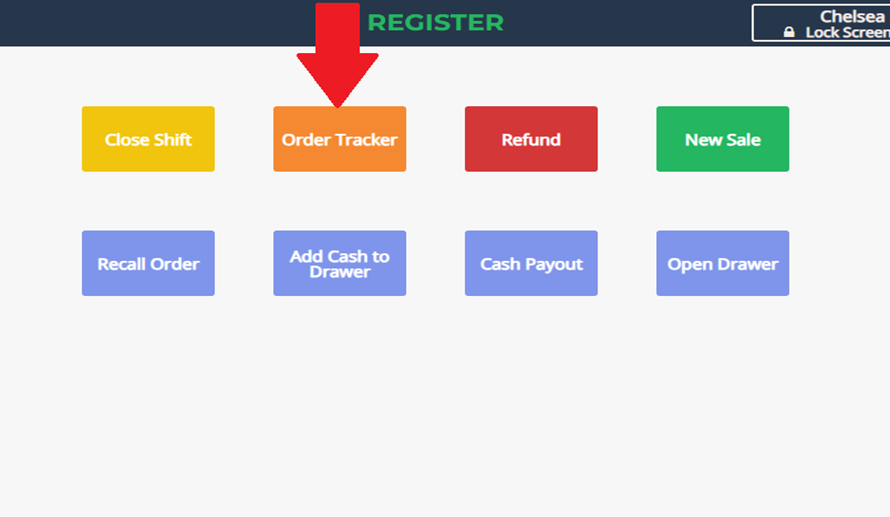
- Select Order Tracker from the menu.
- Click the red "Pick Up" button in the upper-right corner.

Step 2: Identifying the Pay at Pickup Order
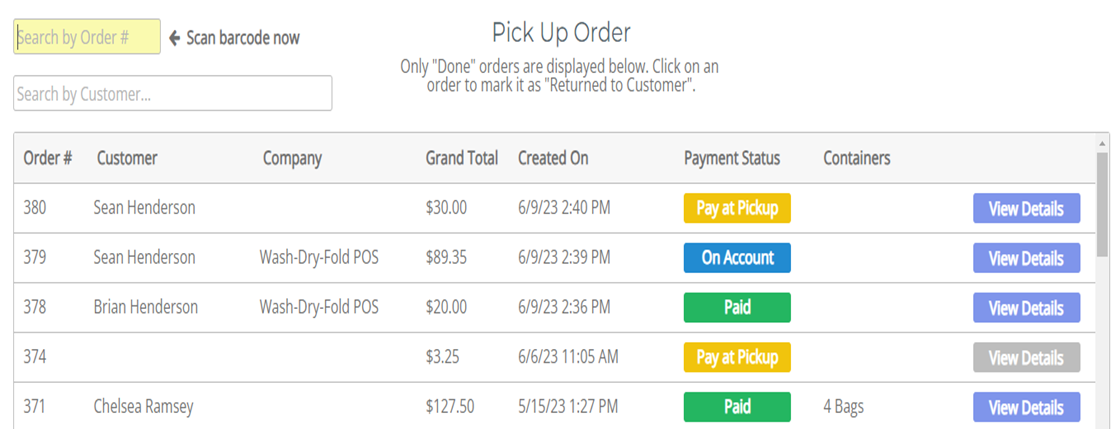
- The system will display all orders marked Pay at Pickup (highlighted in yellow).
- Select the correct order by either:
- Clicking the order from the list
- Scanning the barcode on the printed ticket
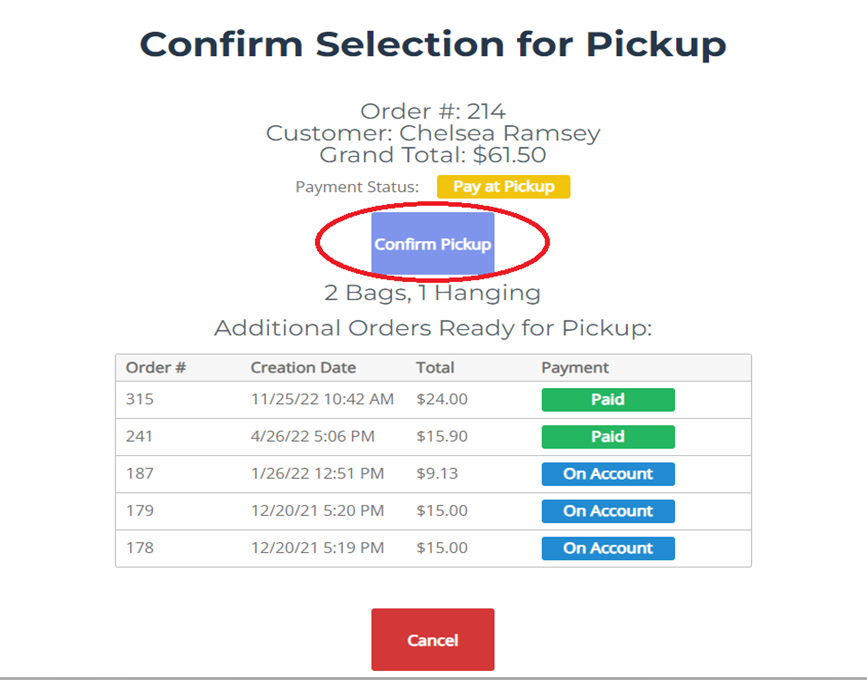
- Click Confirm Pickup.
Step 3: Processing Payment
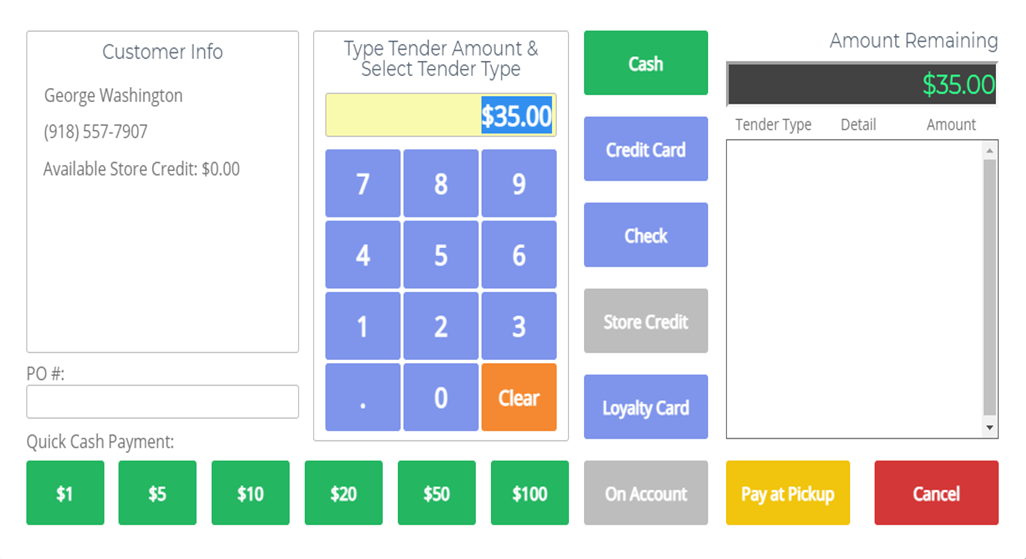
- The payment screen will appear automatically.
- Select the customer’s payment method:
- Cash
- Credit/Debit Card
- Loyalty Card
- Store Credit
- Choose the number of receipt copies to print.
- If a receipt is not needed, click Cancel.
No results found


